# Burn ERC-721 Token
It is possible to proceed an ERC-721 Token burning test using Remix.
{% hint style="info" %}
All examples are based on WEMIX3.0 Testnet.
{% endhint %}
Let's proceed with the ERC-721 token burning process.
[Write ERC-721 Contract](write-erc-721-contract) and [Minting ERC-721 Token](minting-erc-721-token) should proceed first.
## Burn ERC-721 Token
To burn a Minted ERC-721 Token, enter the issued TokenID. After then, the ERC-721 Token will be burned.
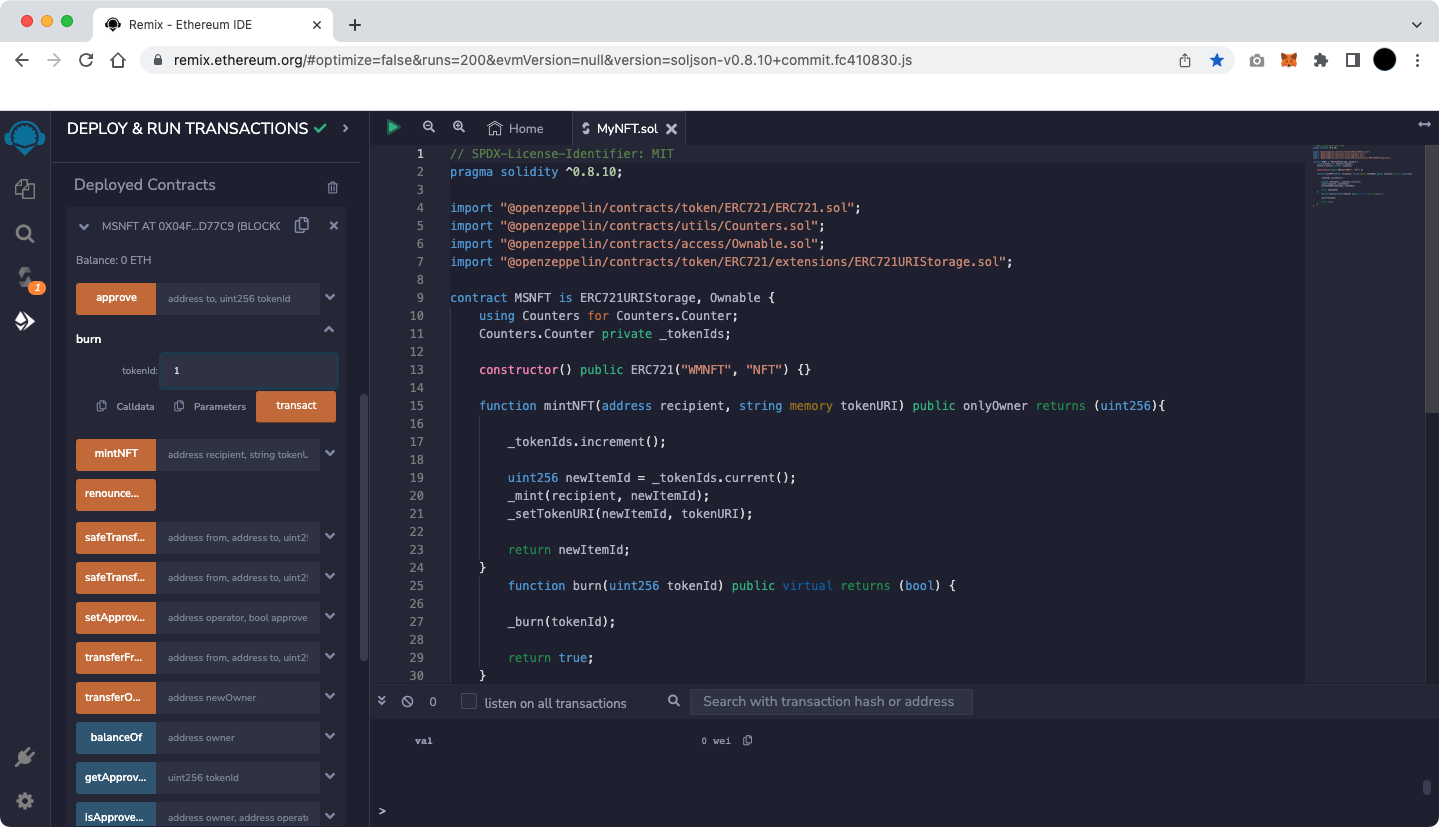
You can see the deployed contracts in the Deployed Contracts section of the ERC-721 Contract Deployment and Minting screen.
Select 'burn' to enter TokenID.
The figure below shows an example of Token ID 1 being burned.
Burning Token ID 1
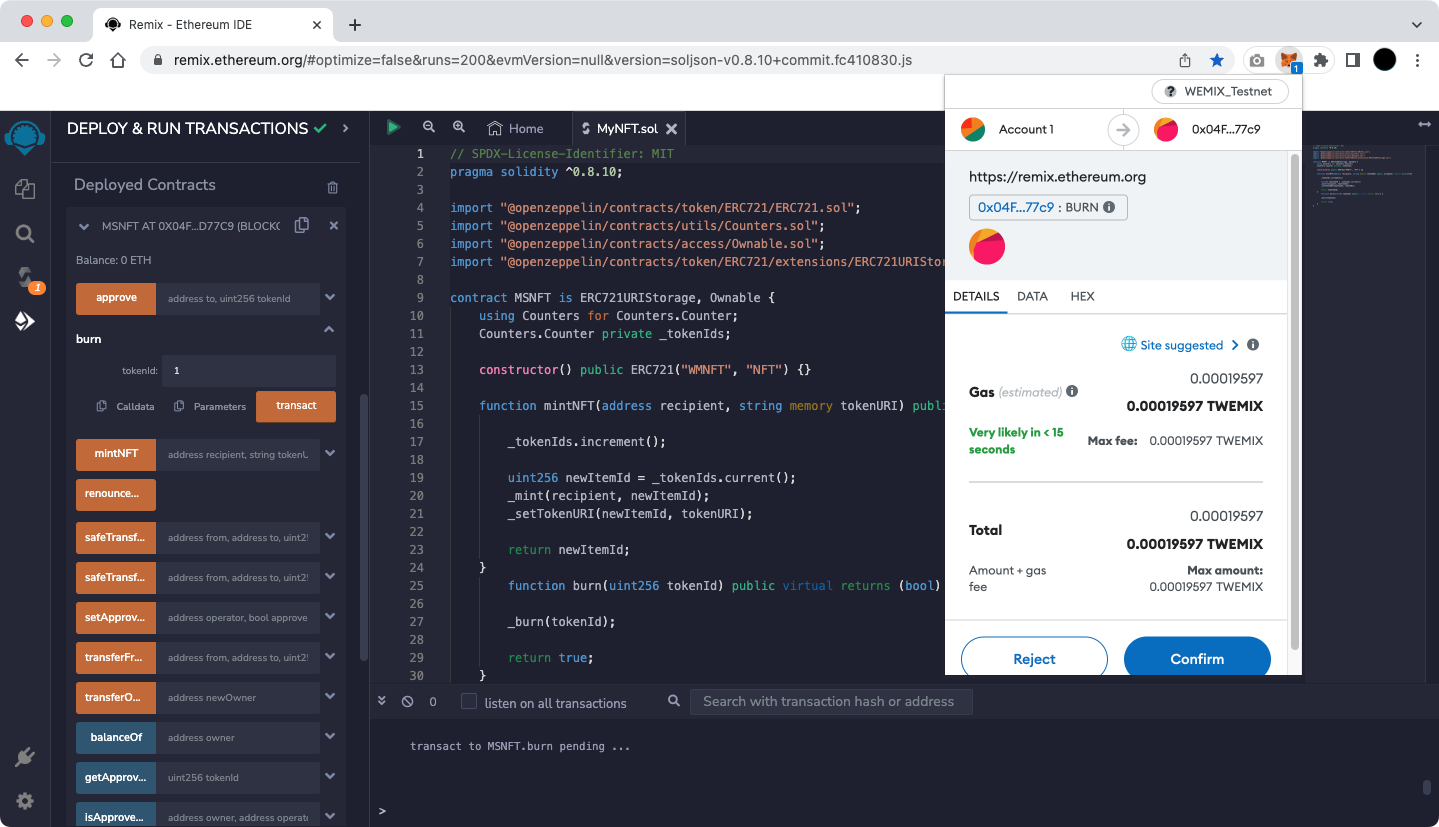
When you select 'transact' after entering TokenID, a MetaMask pop-up appears and a screen showing the default 'Gas Fee' based on Ethereum appears.
MetaMask, default 'Gas fee'
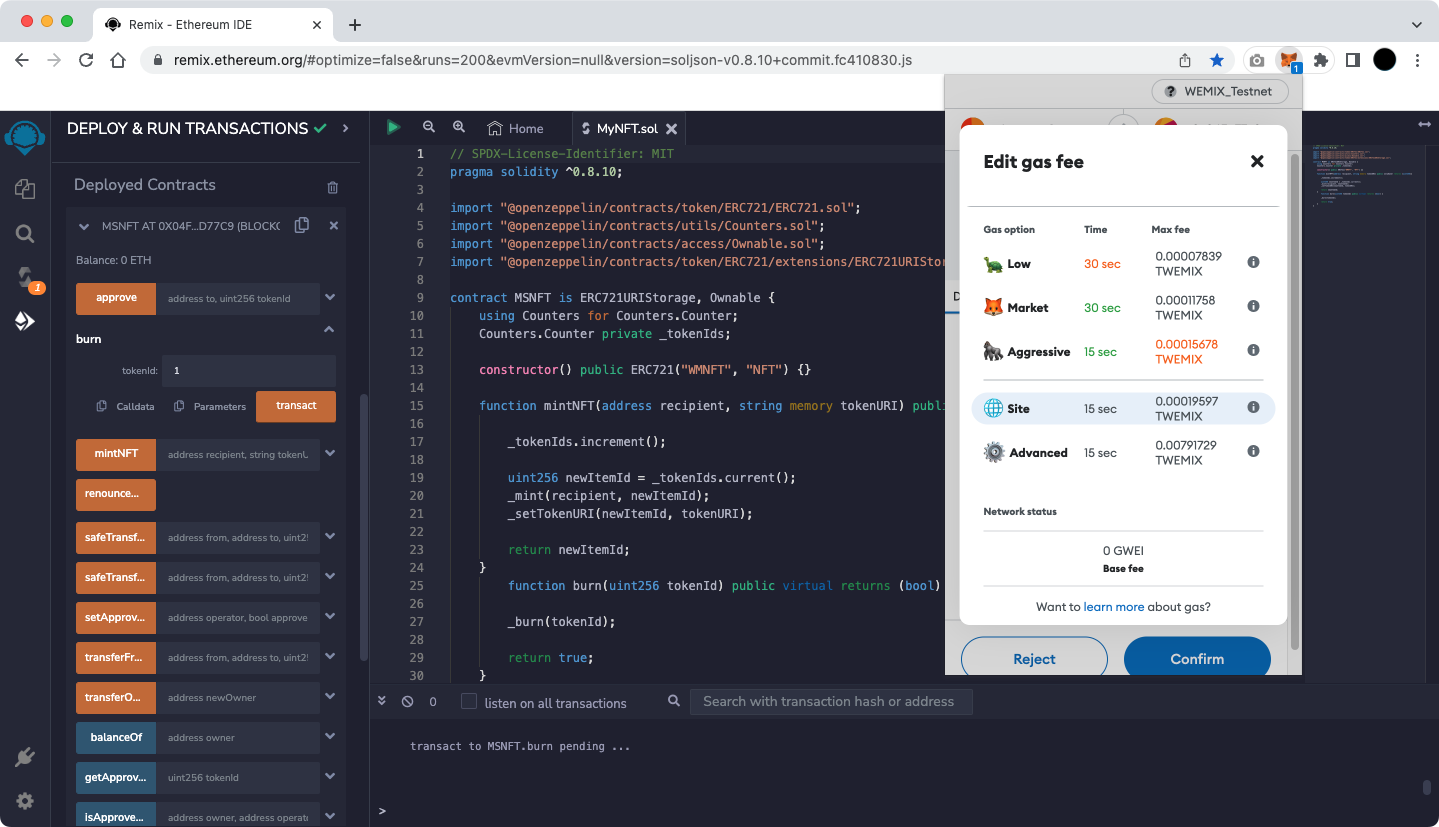
WEMIX has a different fee policy than Ethereum, so press the 'Site suggested' button to change t the Gas Fee.
Selecting 'Advanced' on the screen below allows the user to set 'Max priority fee (GWEI)' and 'Max fee (GWEI)' manually.
MetaMask default 'Gas Fee' setting entry screen
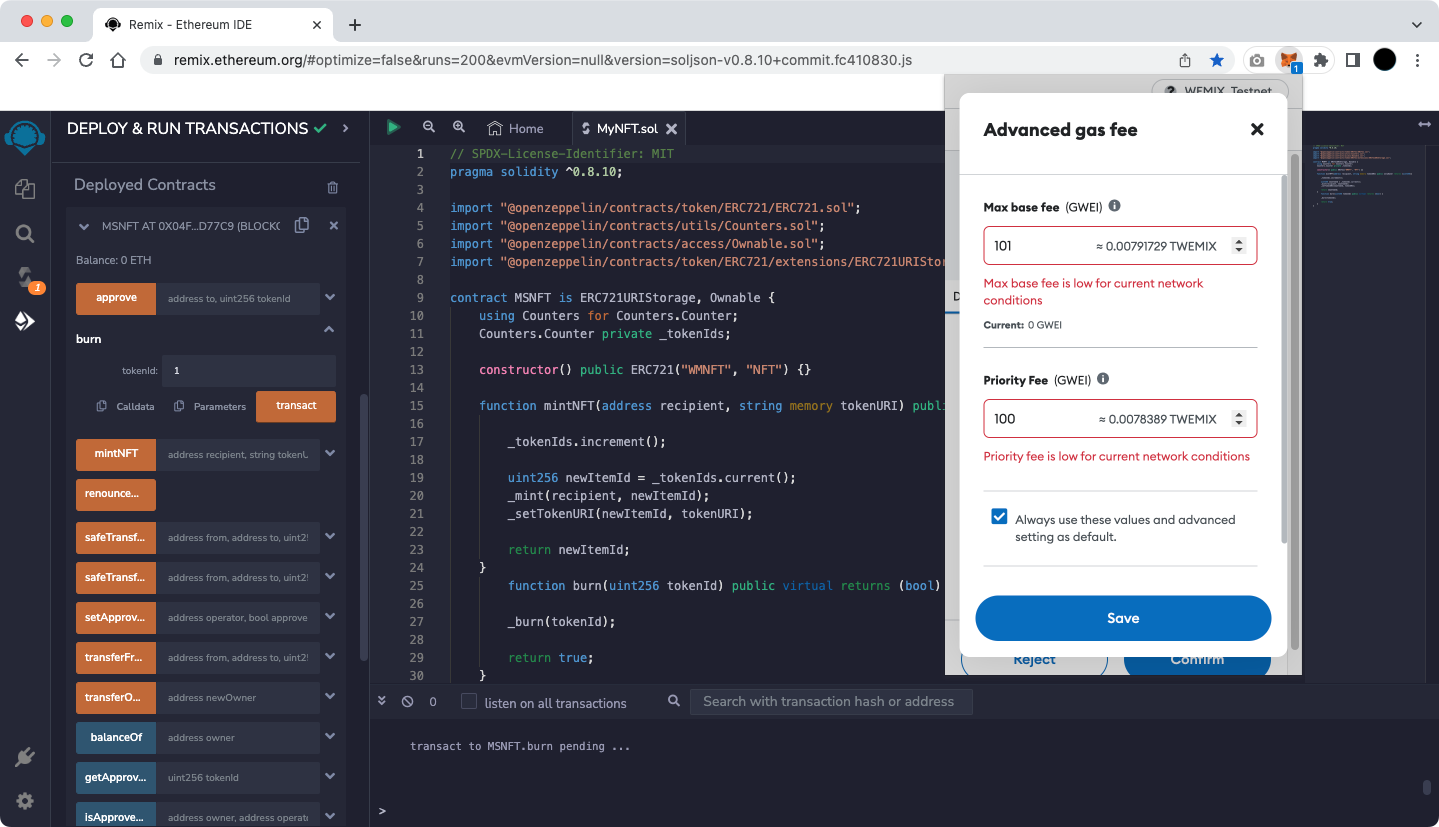
'Gas Fee' setting
Currently, WEMIX is using a fixed 'Max priority fee (GWEI)' and the value is 100.
Max fee is a user-defined value and the minimum value is MaxPriorityFee+BASE\_FEE.
BASE\_FEE in WEMIX is variable according to EIP-1559. Therefore, for a transaction to be successfully created, it is recommended to set it as follows.
1. Max base fee (GWEI) = 101
2. Max priority fee (GWEI) = 100
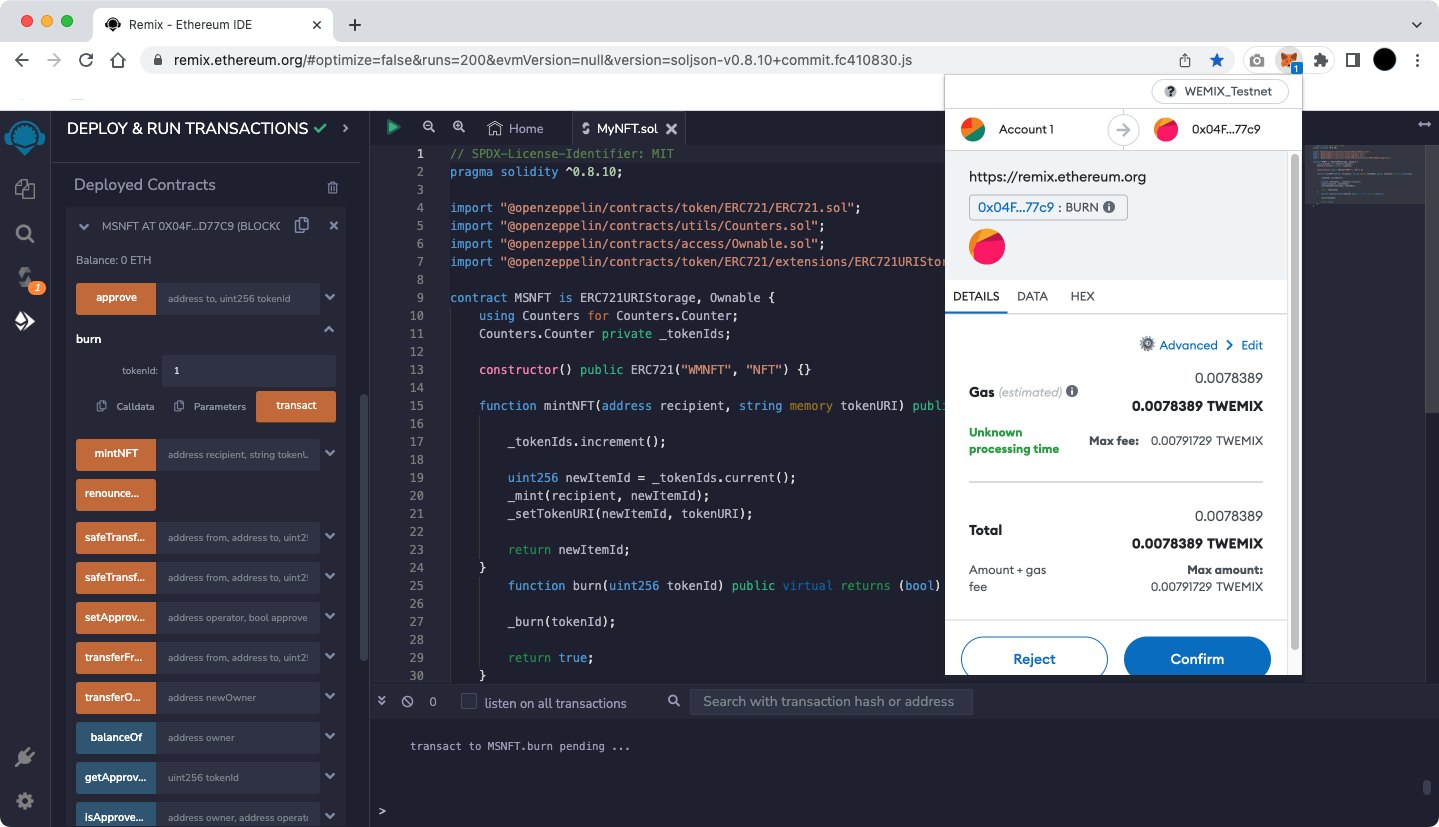
Complete the Fee setup in the figure above and select 'Save' to be ready for burning Token as shown below.
Confirm ERC-721 Token burning
Select 'Confirm' in the figure above to burn ERC-721 Token.
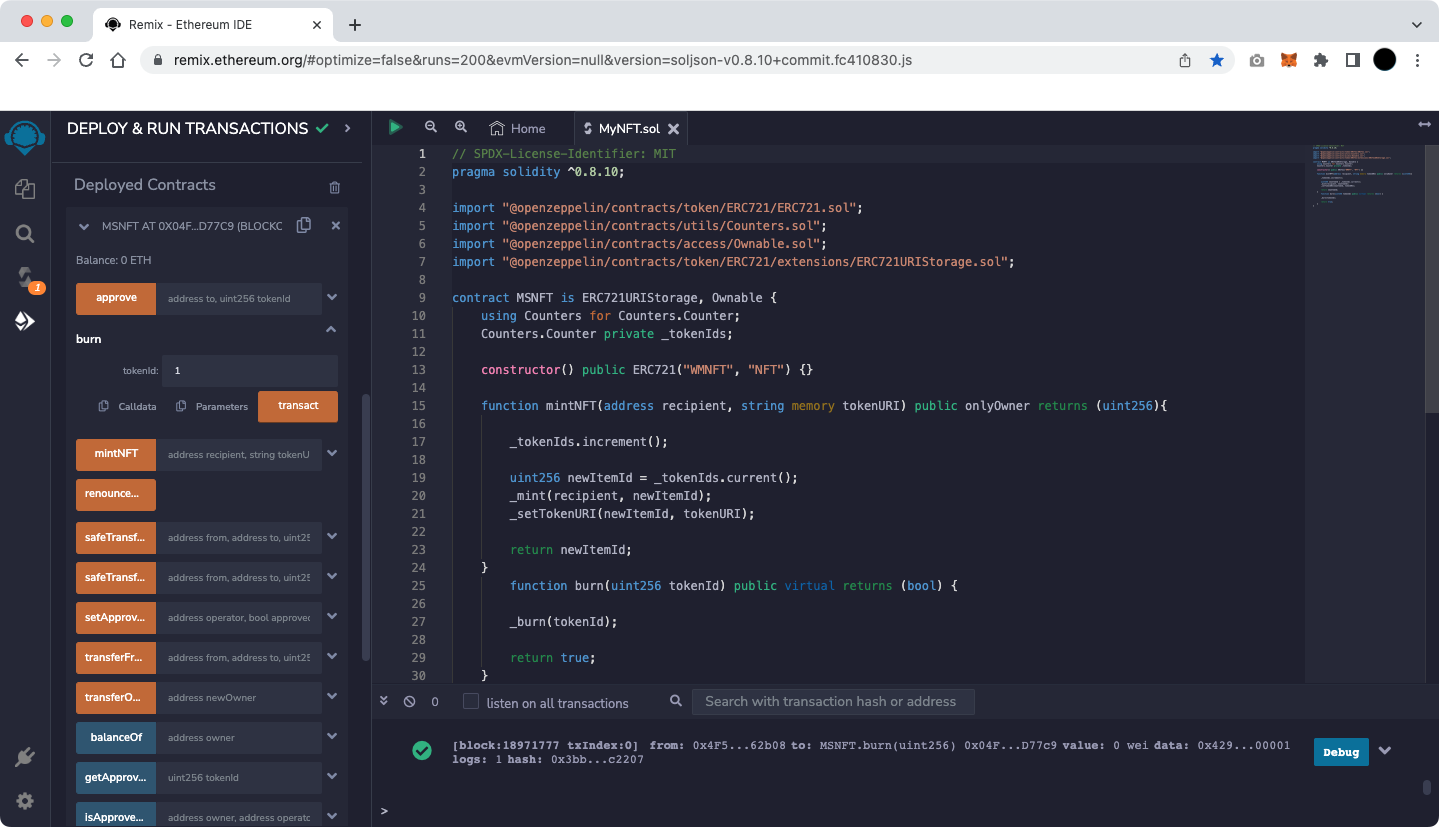
If a green check mark appears at the bottom of the Remix screen as shown below, the burning ERC-721 Token is completed normally.
Complete ERC-721 Token burning
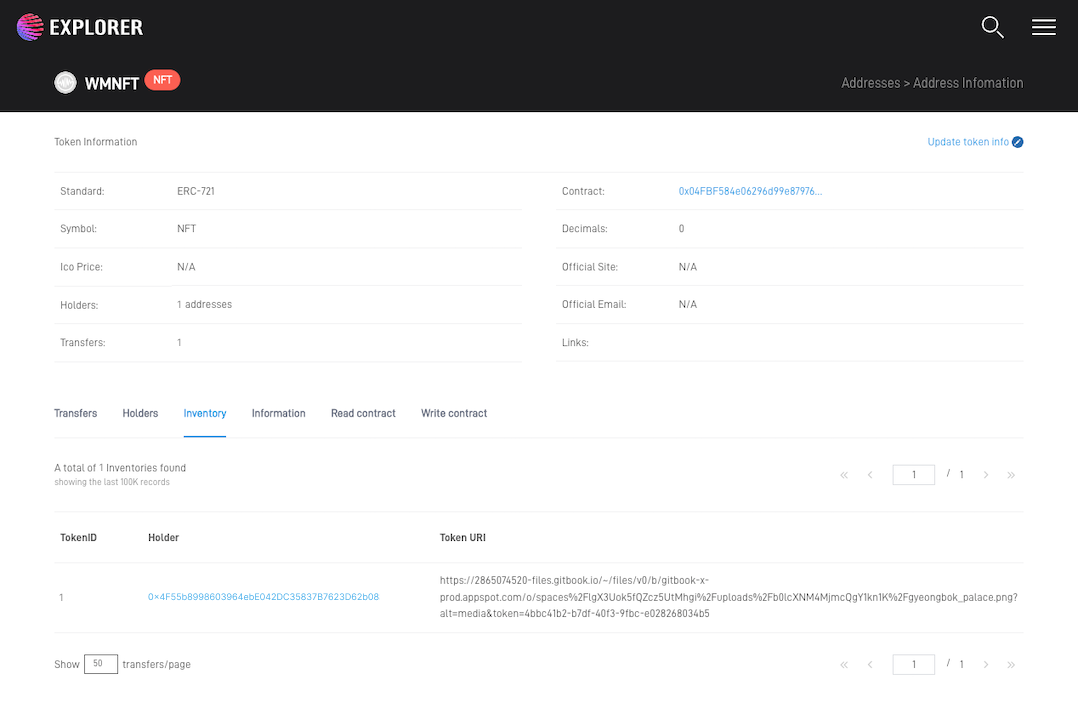
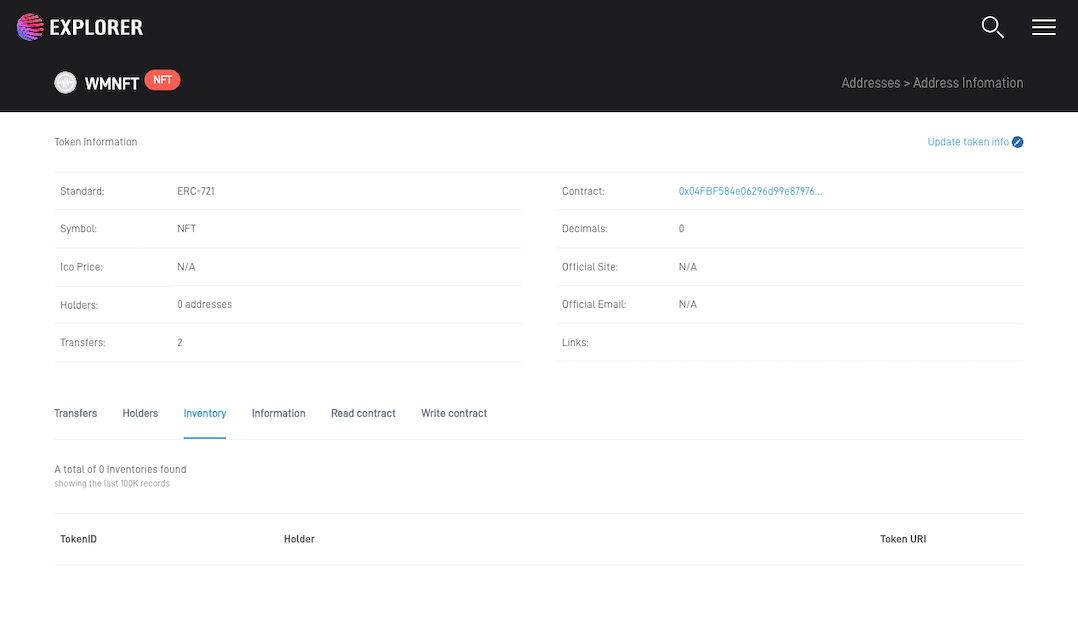
Copy the transaction hash that appears as a result of the run, and search in [Testnet Explorer](https://explorer.test.wemix.com/), to confirm that the ERC-721 Token has been burned.
The figure below is an example of what [Testnet Explorer](https://explorer.test.wemix.com/) has seen.