> For the complete documentation index, see [llms.txt](https://docs.wemix.com/llms.txt). Markdown versions of documentation pages are available by appending `.md` to page URLs; this page is available as [Markdown](https://docs.wemix.com/nile-en/guides/marketplace/view-list-of-owned-nft.md).

# View List of Owned NFT

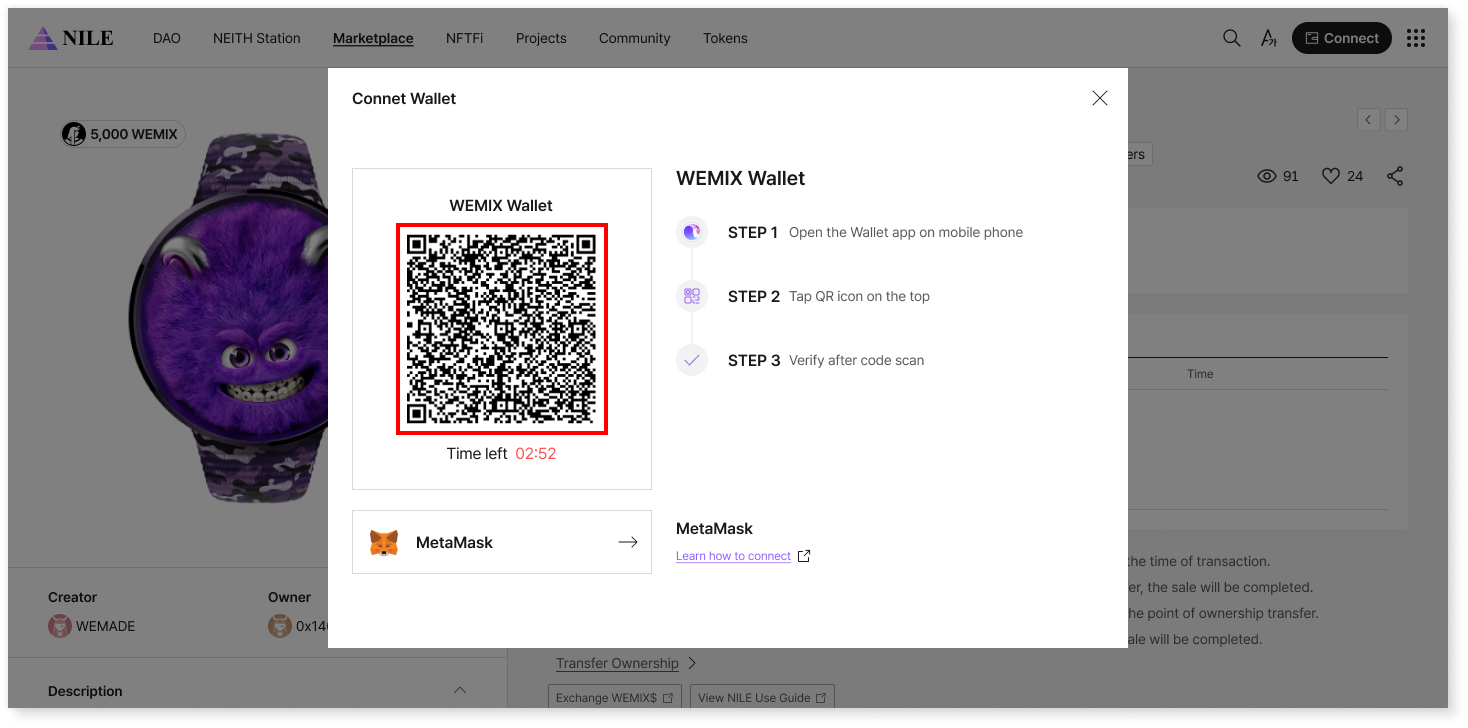
<figure><img src="https://3901227812-files.gitbook.io/~/files/v0/b/gitbook-x-prod.appspot.com/o/spaces%2FqlGy1XJXC3snSpxBiv12%2Fuploads%2FSk4stLJsbcWxW3b4uvYU%2F%E1%84%82%E1%85%A2%E1%84%80%E1%85%A1%20%E1%84%87%E1%85%A9%E1%84%8B%E1%85%B2%E1%84%92%E1%85%A1%E1%86%AB%20NFT%20%E1%84%86%E1%85%A9%E1%86%A8%E1%84%85%E1%85%A9%E1%86%A8%20%E1%84%87%E1%85%A9%E1%84%80%E1%85%B5_1.png?alt=media&amp;token=d7b9dae8-7a06-4c9a-bad7-adacb41f1e33" alt=""><figcaption></figcaption></figure>

* Connect a wallet that supports the WEMIX3.0 Mainnet.

  <br>

<figure><img src="https://3901227812-files.gitbook.io/~/files/v0/b/gitbook-x-prod.appspot.com/o/spaces%2FqlGy1XJXC3snSpxBiv12%2Fuploads%2FTTEBost98lvUmBW3nNWO%2F%E1%84%82%E1%85%A2%E1%84%80%E1%85%A1%20%E1%84%87%E1%85%A9%E1%84%8B%E1%85%B2%E1%84%92%E1%85%A1%E1%86%AB%20NFT%20%E1%84%86%E1%85%A9%E1%86%A8%E1%84%85%E1%85%A9%E1%86%A8%20%E1%84%87%E1%85%A9%E1%84%80%E1%85%B5_2.png?alt=media&amp;token=f16710a1-ddac-4af9-b68a-5b5065264408" alt=""><figcaption></figcaption></figure>

* Select the profile at the top app bar, then click the (>) button.

<figure><img src="https://3901227812-files.gitbook.io/~/files/v0/b/gitbook-x-prod.appspot.com/o/spaces%2FqlGy1XJXC3snSpxBiv12%2Fuploads%2FaC1Le84xBBV8vyTqBBZa%2F%E1%84%82%E1%85%A2%E1%84%80%E1%85%A1%20%E1%84%87%E1%85%A9%E1%84%8B%E1%85%B2%E1%84%92%E1%85%A1%E1%86%AB%20NFT%20%E1%84%86%E1%85%A9%E1%86%A8%E1%84%85%E1%85%A9%E1%86%A8%20%E1%84%87%E1%85%A9%E1%84%80%E1%85%B5_3.png?alt=media&amp;token=c384f4fe-c78e-4880-9142-b719bfc07978" alt=""><figcaption></figcaption></figure>

* View your NFTs under the NFT tab.