> For the complete documentation index, see [llms.txt](https://docs.wemix.com/llms.txt). Markdown versions of documentation pages are available by appending `.md` to page URLs; this page is available as [Markdown](https://docs.wemix.com/en/tutorial/create-smart-contract/remix.md).
# Remix
Deploy and Execute Smart Contracts using Remix ID
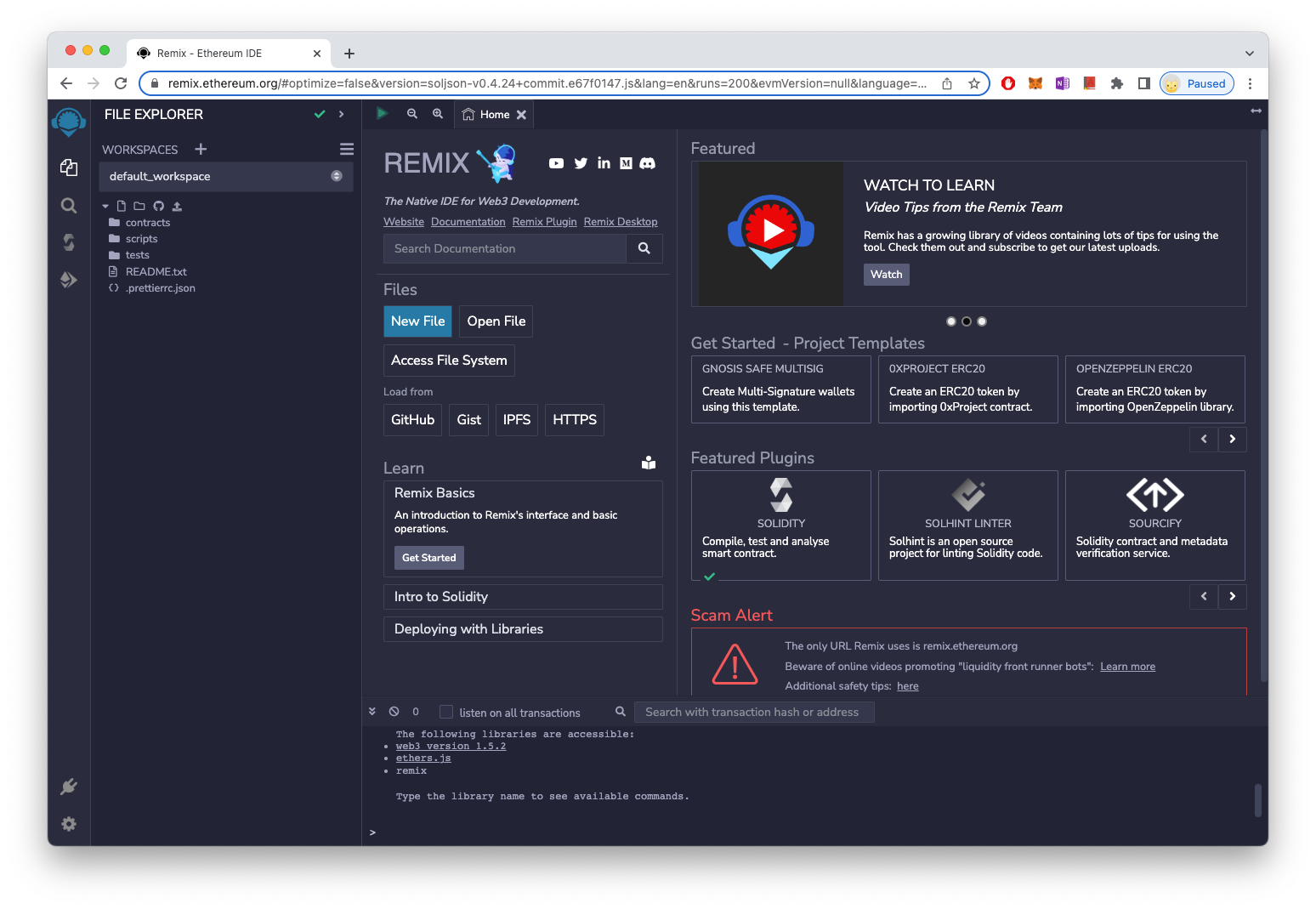
Remix is an integrated development environment that helps you develop, deploy and manage smart contracts for EVM-based blockchains such as Ethereum running in a web browser environment.
Remix IDE, Main Screen
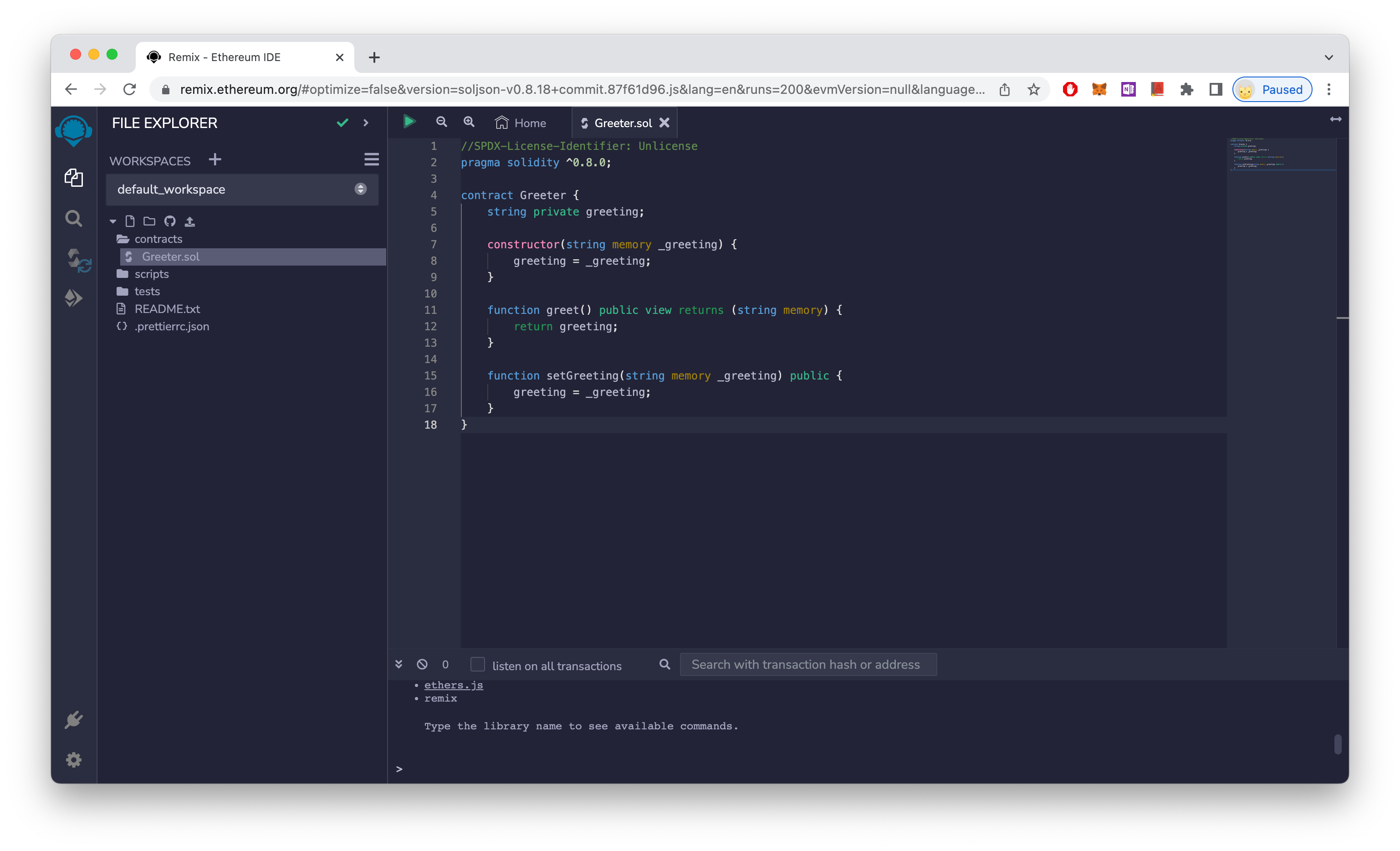
To learn how to use Remix, let's create and deploy simple smart contracts. The smart contract to be created is a solidity code that sets a greeting message at deployment, queries it through a greet() function, and changes the greeting message through a setGeering() function.
When you access the Remix IDE, there are pre-generated contracts. Select and clear these contracts, create a new Greeter.sol, and enter the code above.
Greeter.sol
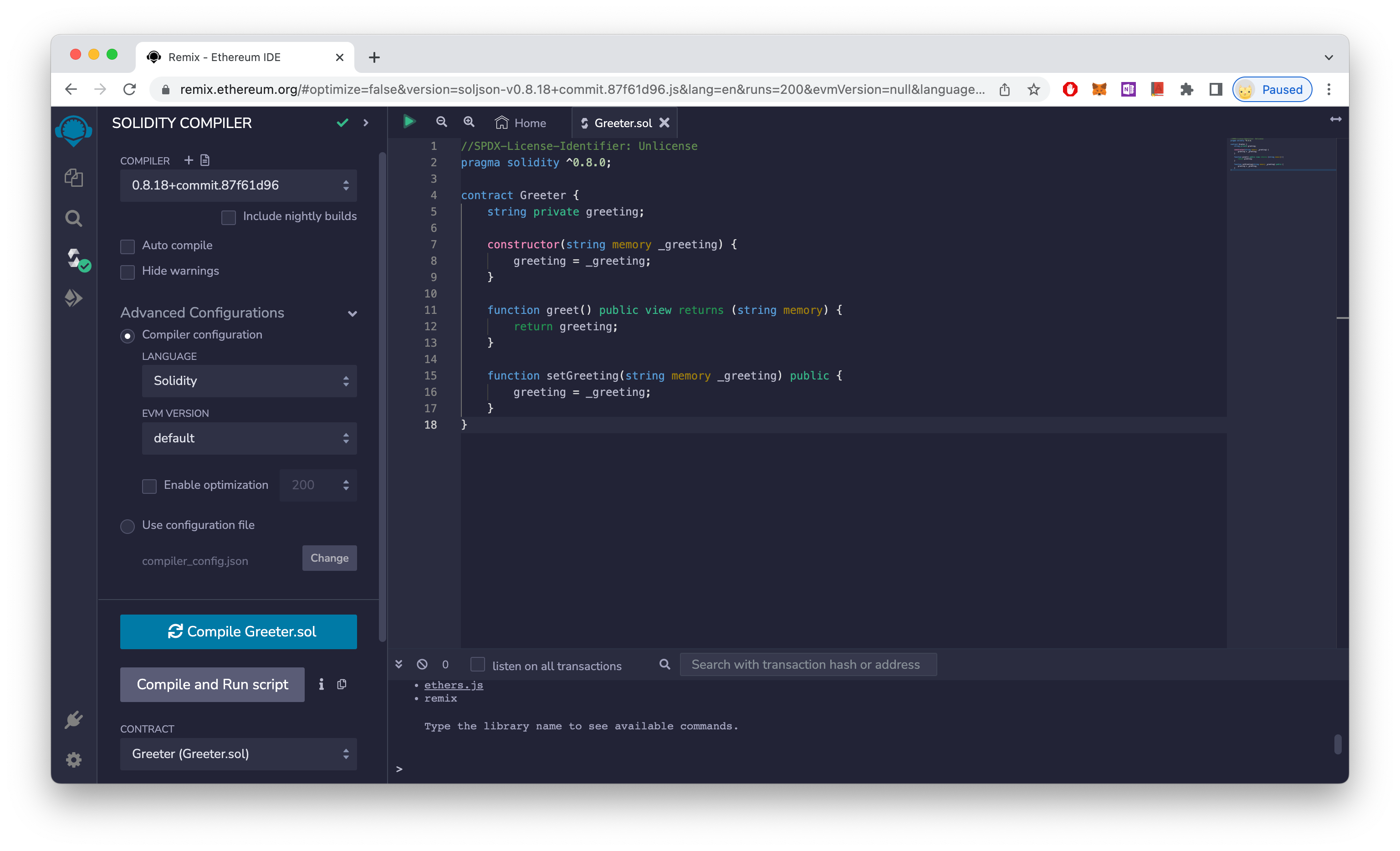
Select the Solidity Compiler tab and press the 'Compile Greeter.sol' button to compile the smart contract you created. You can select Advanced Configurations to set up additional features such as Enable Optimization.
Compile Greeter.sol
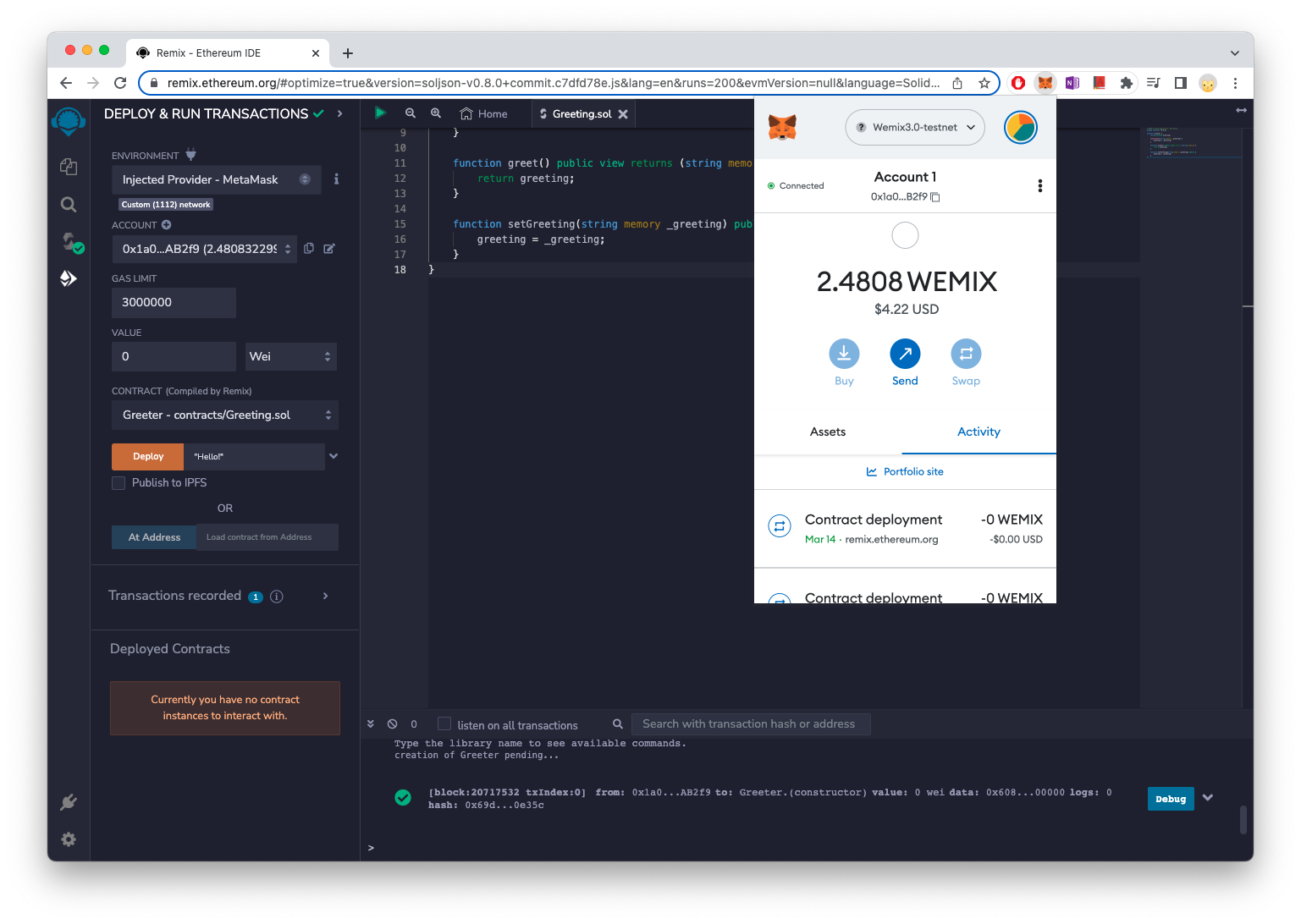
To deploy smart contracts to the WEMIX3.0 Testnet via MetaMask, add the WEMIX3.0 Testnet from the MetaMask plug-in installed in your web browser, select the account you want to use, and then select 'Injected Provider - MetaMask' from ENVIRONMENT on the 'DEPLOY & RUN TRANSACTION' tab.
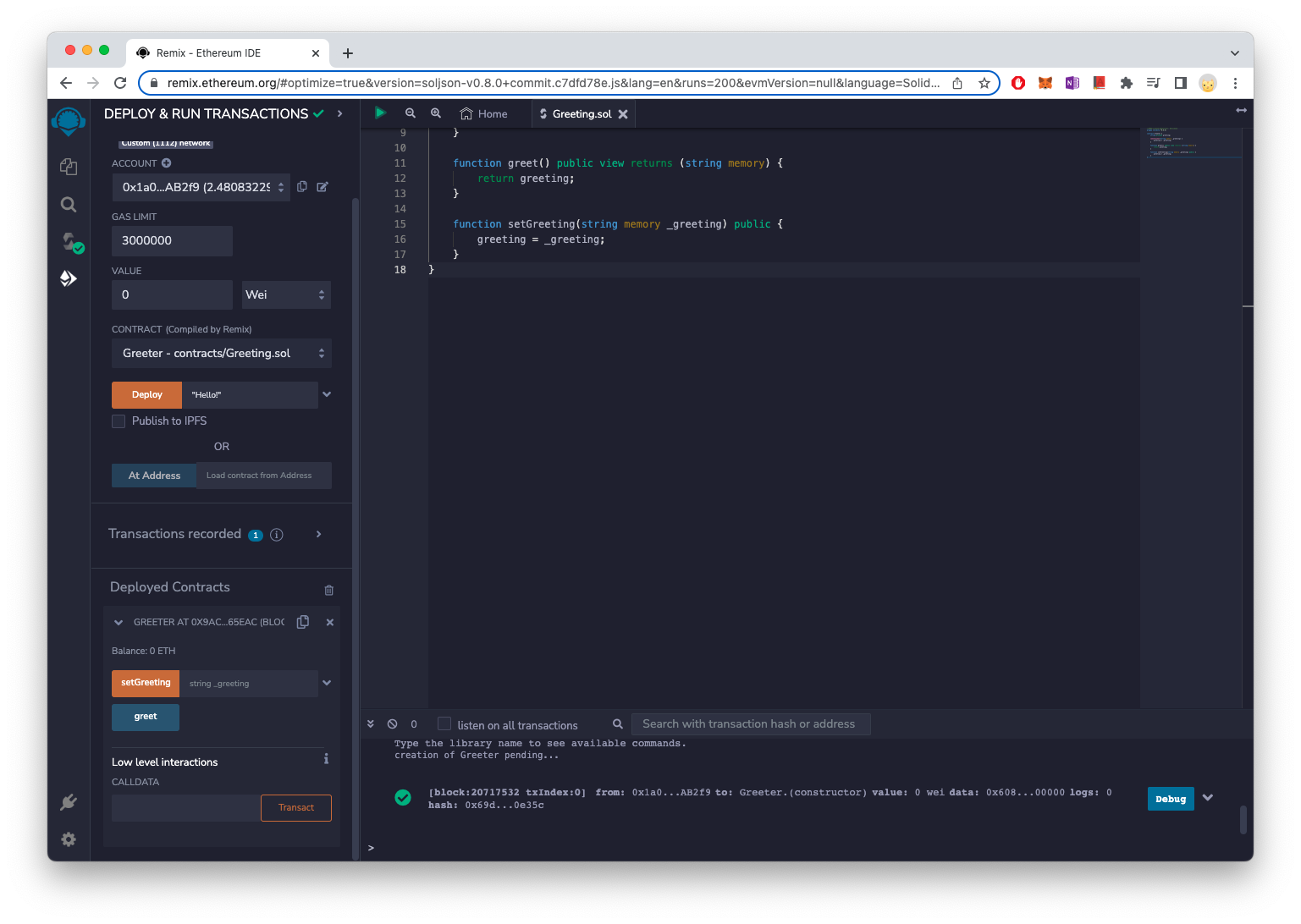
If the MetaMask is not installed, you can install and set it up through the 'Use MetaMask' link below. If you have confirmed that your account is set up correctly, select the correct sol file in CONTRACT, type the initial greeting string next to the 'Deploy' button, and press the button to run the deployment. When the MetaMask runs, click OK to run the transaction, and the deployment proceeds.
WEMIX has a different fee policy than Ethereum, so press the 'EDIT' button to go to the screen below.
Please refer to the link below for details.
{% content-ref url="/pages/TKU0SU1a9glHEWcI1dlD" %}
[Use MetaMask](/en/quick-start/account/use-metamask.md)
{% endcontent-ref %}
When a smart contract is deployed, you will see the contract name and functions that call address deployed under 'Deployed Contract'. It looks blue for read functions and orange for write functions. Press the 'greet' button to see the string you entered during deployment. For read functions, it runs immediately, but for functions that need to be written, the transaction must be executed using a MetaMask.